
Bitcoin Mining (Crypto Miner)
Bitcoin Mining & Crypto Blockchain rewards cloudFinance
4.58.23K Reviews
- Version
- 1.0.142
- Installs
- 1.00M
- Age Rating
- Everyone
Screenshots
Our Review of Bitcoin Mining (Crypto Miner)
 Analysis by Appyee
If you’re curious about Bitcoin mining but don’t want to begin with specialist hardware or a complicated desktop setup, Bitcoin Mining (Crypto Miner) may look like an approachable first step. I’d treat it as a phone-based way to explore a mining-themed rewards app, not as a substitute for a professional mining operation or a dependable source of income. That distinction makes the experience easier to judge: the useful question is whether the app helps you learn its routine and work toward a small Bitcoin reward, not whether it can compete with dedicated equipment.
Getting Started with Bitcoin Mining (Crypto Miner)
The first thing I noticed was how easy it was to set up. You don’t need to be a tech guru to navigate the interface. After downloading the app, I was guided through a straightforward setup process. The app provides a simple walkthrough that helps you link your wallet and get started on mining. It’s like having a friendly guide right there with you, ensuring you’re not lost in a sea of crypto jargon.
What to expect from a phone-based mining app
It helps to set expectations before you start. This is a finance app built around Bitcoin rewards, rather than a tool for managing a diversified portfolio or trading several kinds of assets. The developer is Bitcoin Mining & Crypto Blockchain rewards cloud, and the app is free to install. Its audience scale is substantial: it has more than a million installs and an average rating of 4.5 from around 441,000 ratings, alongside about 7,800 written reviews. Those figures can help you gauge its reach, but they don’t guarantee a particular user’s reward or experience.
The app is listed for Everyone and supports Android 5.0 or later. Its current version is 1.0.142, and optional in-app purchases range from $0.40 to $999.99 per item. I’d keep those purchases separate from the basic decision to try it: start by learning the free experience, and only consider spending if you understand exactly what an item offers and are comfortable with the cost. The app’s release date is September 29, 2023, but what matters more in everyday use is whether the current version runs smoothly on your phone and fits your expectations.
First setup: take it one step at a time
When you reach the wallet step, pause long enough to check that you are connecting the Bitcoin wallet you intend to use. A wallet address is not the same thing as a password or recovery phrase. Don’t type a recovery phrase into an app or share it with anyone as a way to “verify” an address. If you already use a wallet, copy its receiving address carefully and compare the first and last characters after pasting; that small habit helps catch clipboard mistakes.
I’d also read each setup prompt before tapping through it. A first-time user can easily mistake a progress display for a confirmed payment, or assume that linking a wallet means a reward has already been sent. Keep a simple note of the steps the app shows and the state of your account, especially if you plan to return later. That gives you a practical reference if you switch phones or need to understand where you left off.
The User Interface
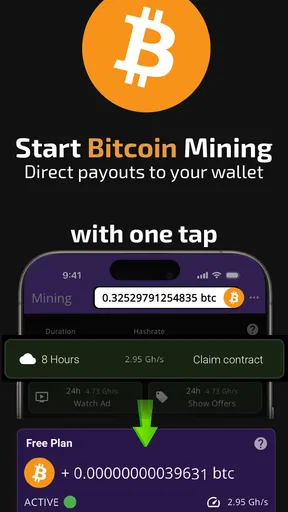
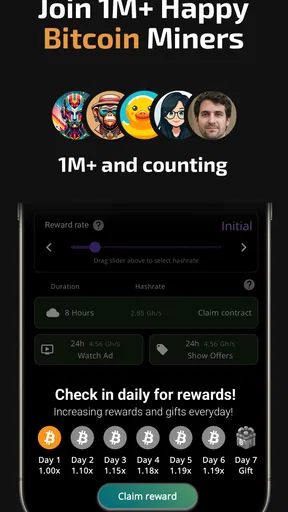
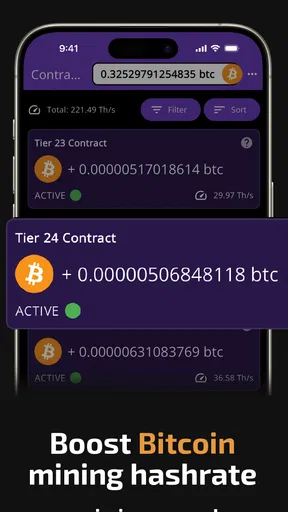
One of the standout features of Bitcoin Mining (Crypto Miner) is its user-friendly interface. It’s clean, intuitive, and doesn’t overwhelm you with too many options right off the bat. The dashboard is neatly organized, allowing you to monitor your mining progress, view earnings, and adjust settings without fuss. I appreciated how everything felt just a tap away, making the app accessible even to those new to the crypto world.
For a first session, I’d focus on identifying what each number on the dashboard actually represents rather than checking it repeatedly. A balance, a running total, and a completed transfer can mean different things in a rewards app. Take a screenshot or write down the labels you see before changing settings; if the display later changes, you can compare like with like. This is a small but useful way to avoid treating a changing estimate as money already available in your wallet.
First meaningful progress and mining performance
Of course, the heart of the app is its mining capability. From my experience, the app efficiently utilizes your smartphone’s processing power to mine Bitcoin. Although it won't replace a dedicated mining rig, it’s a great way to earn small amounts of Bitcoin passively. The app provides real-time stats on your mining activity, which is super handy for keeping track of your progress.
For a new user, I’d define the first successful action modestly: complete the initial setup, find the progress indicator, and understand what the app counts as progress. That’s more useful than expecting a meaningful payout during the first sitting. A realistic routine might be checking it briefly during a commute break, then again later when you are already using your phone. If the progress is slow, that alone does not tell you that something is broken; it may simply mean the app is designed for gradual rewards rather than quick returns.
There is an important trade-off here. A phone is convenient because it is already with you, but convenience does not make it equivalent to specialized mining hardware. I would not leave a phone running just to chase a reward if doing so makes the device hot, interrupts ordinary use, or costs more in battery wear and charging than the reward is worth to you. If you want predictable financial growth, a conventional savings or investment product is a more sensible comparison; if you want to understand mining concepts in depth, educational material and desktop tools are better suited.
Common confusion: pools, settings, and rewards
Additionally, the app offers features like mining pool options and power-saving settings. You can join different mining pools to potentially increase your earnings. The power-saving mode is a thoughtful addition, allowing you to continue mining without draining your battery life entirely. It’s like they thought of everything to ensure you can mine on the go without worrying about your phone giving up on you.
Pool choices are worth treating as a trade-off, not a guaranteed upgrade. Before switching, note your current setting and the progress display, then change only one option at a time. That way, if the experience changes, you have a clearer idea of what caused it. Likewise, power-saving mode is most useful when you want to balance background activity with normal phone use; it should not be read as a promise that mining has no effect on battery or device performance.
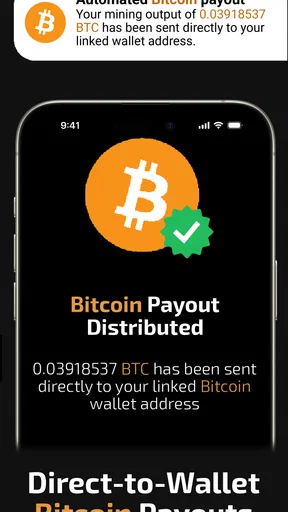
A common question is whether a displayed reward can be sent straight to a Bitcoin wallet. The app’s stated purpose is to send Bitcoin rewards to a wallet, but I would still follow the in-app steps closely and distinguish a displayed balance from a completed transfer. Check the wallet address before submitting it, and keep a record of any confirmation the app presents. If a screen or requirement is unclear, stop there rather than guessing or paying to move forward.
Security, reliability, and sensible boundaries
Security is a big deal when it comes to anything crypto-related, and Bitcoin Mining (Crypto Miner) doesn’t disappoint. The app incorporates robust security measures to protect your data and earnings. With encryption protocols in place, you can rest easy knowing your information is safe from prying eyes. I didn’t encounter any crashes or bugs during my use, which speaks volumes about the app’s reliability.
Even with a smooth experience, I’d keep basic crypto precautions in place. Use a wallet you control, protect its recovery phrase offline, and never share it in chat or with someone claiming to be support. Treat optional purchases cautiously: the listed range is wide, so check the exact item and payment confirmation rather than assuming every feature is part of the free experience. The app is free to download, but “free” does not mean every optional purchase is necessary or worthwhile.
For an everyday example, imagine you have a few minutes while waiting for a ride. You can open the dashboard, check whether the app is progressing, and close it without making mining the focus of your day. Later, you can review the same indicator and decide whether the routine is worth continuing. That low-pressure trial is a better test than leaving the app active constantly or spending money before you know how its rewards and wallet flow work.
Who will find it useful, and who should look elsewhere
This app is best for a curious beginner who wants a simple introduction to a Bitcoin-reward routine and is comfortable treating any earnings as small and uncertain. It may also suit someone who likes checking progress in short sessions and wants to learn how wallet addresses fit into receiving crypto. It is less suitable if you need reliable income, want a full-featured exchange, or expect phone mining to match the output of dedicated hardware.
Compared with the usual alternatives, this sits between a crypto learning experience and a conventional finance app. An exchange is generally the more direct choice when your goal is to buy or sell Bitcoin; a hardware-based setup is the relevant route for people seriously pursuing mining; and a standard budgeting or savings app is more useful for managing everyday money. The appeal here is ease of entry, while the compromise is that ease should not be confused with financial efficiency.
Community and support
Another aspect worth mentioning is the community and support. The app taps into an active community of users who share tips, experiences, and advice. It’s like having a group of friends who are all in the same boat, eager to help each other out. Plus, the customer support team is quick to respond to queries, making sure you’re never left hanging if you run into any issues.
If you do need help, describe the screen you are seeing and the step where you got stuck, while leaving out wallet secrets and recovery phrases. That makes a support question clearer without exposing the information that protects your funds. Community advice can be useful for learning where a setting is, but I would not treat another user’s earnings or claims as a promise of what you will receive.
My final take for a first-time user
Overall, Bitcoin Mining (Crypto Miner) is a fantastic entry point for anyone curious about dipping their toes into the world of cryptocurrency mining. It’s designed to be accessible, efficient, and secure, providing a solid platform for both beginners and seasoned crypto enthusiasts. Whether you’re looking to earn some Bitcoin on the side or just want to learn more about the mining process, this app is a great place to start.
Who knew mining Bitcoin could be this simple and fun? Give it a shot and see for yourself!
I’d approach that recommendation with one practical condition: try the basic workflow first, confirm that you understand the progress and wallet screens, and decide whether the experience is worthwhile without spending. The app’s accessible layout is its strongest reason to try it; limited expectations and careful wallet habits are what make that trial sensible. If you want a relaxed way to explore Bitcoin rewards, it may be a reasonable fit. If you need measurable returns or a serious mining setup, I’d choose a different tool.
Verdict
Strengths of Bitcoin Mining (Crypto Miner)
- User-friendly interface for beginners.
- Low minimum payout threshold.
- Supports multiple cryptocurrencies.
- Real-time monitoring and alerts.
- Efficient energy consumption settings.
Limitations of Bitcoin Mining (Crypto Miner)
- High withdrawal fees.
- Limited mobile platform support.
- Requires constant internet connection.
- Occasional app crashes reported.
- No manual control over mining settings.
Similar Picks in This Category
View All
Google Wallet
Google LLC4.3

Airtel: Recharge, Bank & Loans
Airtel4.0

PayPal - Pay, Send, Save
PayPal Mobile4.2

DANA Indonesia Digital Wallet
PT Espay Debit Indonesia Koe4.5

Binance: Buy Bitcoin & Crypto
Binance Inc.4.8

Cash App
Block, Inc.4.7
Frequently Asked Questions
What is Bitcoin Mining and how does the Crypto Miner app work?
Bitcoin Mining involves using computational power to solve complex mathematical problems, which in turn verifies transactions and adds them to the blockchain. The Crypto Miner app allows users to mine Bitcoin directly from their mobile devices, leveraging the phone’s processing power to contribute to mining pools for potential rewards.
Is it safe to use the Crypto Miner app on my mobile device?
Yes, the Crypto Miner app is designed with security in mind. It uses encrypted connections to protect your data and mining activities. However, users should ensure their device has adequate security measures in place, like antivirus software, and only download the app from official app stores to avoid malware.
How much can I earn with the Crypto Miner app?
Earnings from the Crypto Miner app depend on several factors, including your device's processing power, the pool's success rate, and the current value of Bitcoin. While the app provides a convenient way to mine on-the-go, it’s important to manage expectations as mobile mining typically results in smaller returns compared to traditional mining methods.
Does using the Crypto Miner app affect my device's performance or battery life?
Yes, mining can be resource-intensive and may impact your device’s performance and battery life. The Crypto Miner app allows users to adjust mining intensity to balance performance with usability. It’s recommended to monitor your device's temperature and battery usage to prevent overheating and excessive battery drain.
What are the system requirements for the Crypto Miner app?
The Crypto Miner app requires a device with a capable processor and sufficient RAM to perform mining operations effectively. While the app supports a wide range of Android and iOS devices, newer models typically perform better. Ensure your device is updated to the latest operating system version for optimal performance.
